
DeepClause “Turbo DML” Agent Harness

Up until a short while ago DeepClause mostly existed as a runtime.
You could compile Markdown specs into DML, run them, wire in tools, and get fairly capable little workers. Useful, but still a bit headless. The runtime was there, but the thing I actually wanted to sit in front of all day was not there yet.
At the center of that runtime is DML, a small Prolog-based language for describing agent behavior: model calls, tools, control flow, retries, delegation, child skills. I like doing this in a real language because the behavior does not disappear into prompt soup. You can inspect it, diff it, patch it, and rerun it.
On top of that runtime I have now built an agent harness.
The harness is made from a few core components that are themselves written in DML. The conductor owns the main session. The skill creator turns repeated work into reusable workers. The compactors handle long histories. There is also a recipe layer for plain markdown guidance when you want reusable instructions without compiling a worker.
To match the old-school Prolog feeling, the harness comes with what I can only describe as a Borland “Turbo DML” style UI: fullscreen terminal, menus, inline editors, live execution log, and very little ceremony.
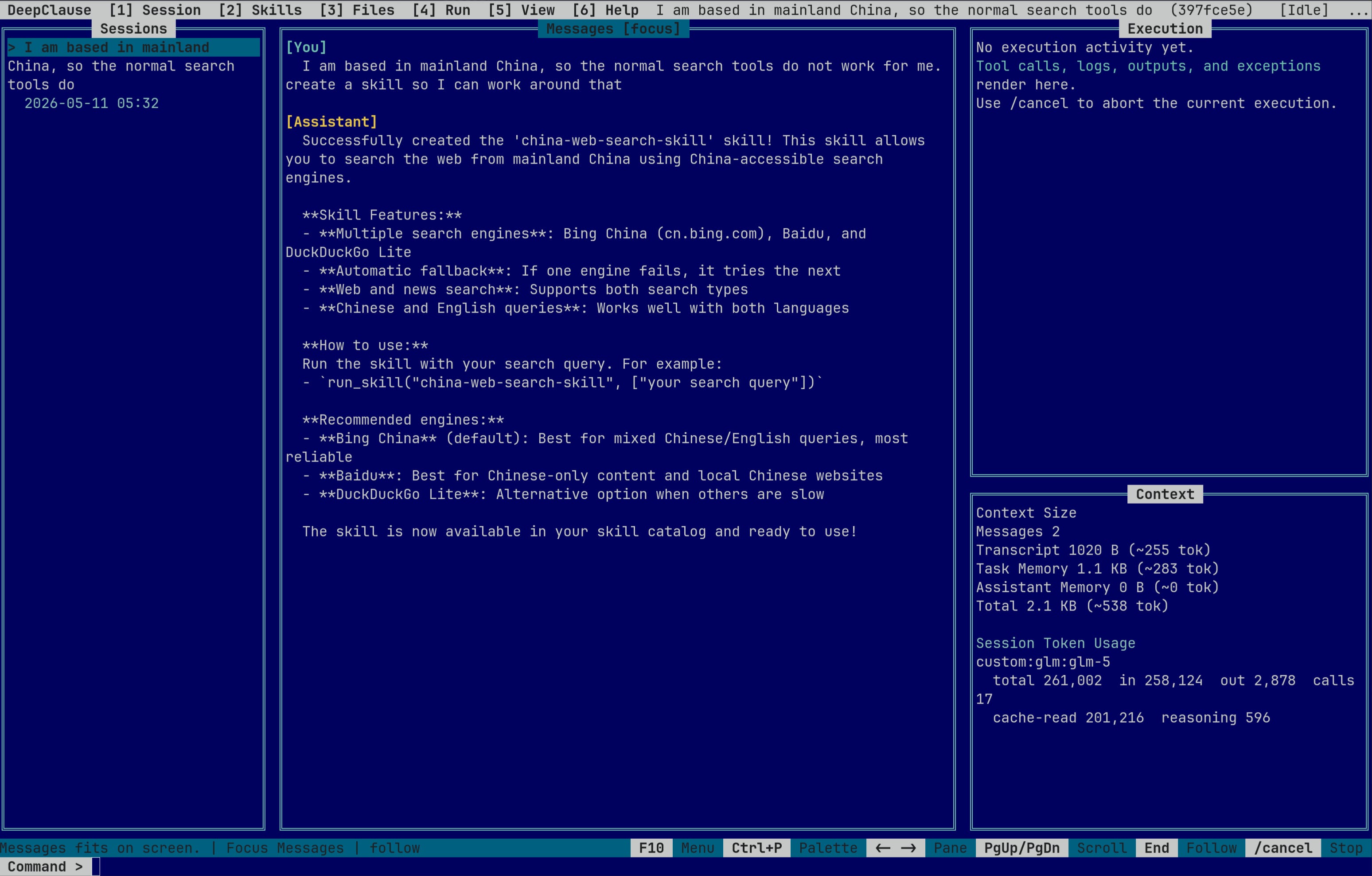
If you want a quick feel for it in motion, here is a short video:
The Harness Logic Is DML
The part I care about is not really the UI. It is that the harness logic lives in files I can open:
.deepclause/system/
├── conductor.dml
├── CONDUCTOR_PROMPT.md
├── skill-creator.dml
├── DML_COMPILER_PROMPT.md
├── default-session-compactor.dml
└── default-loop-compactor.dml
That means the agent is not a black box with a thin settings layer on top. The router is editable. The worker factory is editable. The memory policy is editable.
If the conductor keeps answering inline when I want a reusable skill, I can change the routing logic in conductor.dml. If the skill creator keeps generating workers that are too broad, I can change the phases and guardrails in skill-creator.dml. If compaction keeps preserving the wrong details, I can change the actual skip predicates and compaction logic in the compactor .dml files.
Because we use DML, the harness is unusually hackable.
The interesting edits are usually not prompt edits. They are program edits: add or remove a tool predicate, split agent_main into more specialized clauses, change when a worker gets created, tighten a fallback, or replace an autonomous loop with a small explicit workflow. And you can also ignore the big agent loop entirely and use DML for smaller prompt chains or semi-deterministic workflows, which is especially nice for smaller or local models.
Simplified Conductor
The real conductor file is longer than this, but the shape is simple. It exposes a handful of tools, loads the system prompt, and asks the model to complete the task autonomously.
% simplified from conductor.dml

tool(run_skill(Slug, Args, Result), "Run an existing skill.") :-
	exec(run_skill(slug: Slug, args: Args), Result).

tool(consult_recipes(Query, Result), "Read markdown workflow recipes.") :-
	exec(consult_recipes(query: Query, max_results: 3), Result).

tool(create_new_skill(Spec, Result), "Create a reusable worker.") :-
	exec(create_skill(spec: Spec), Result).

agent_main(UserMessage) :-
	param(system_prompt, "Conductor system prompt", SysPrompt),
	system(SysPrompt),
	format(string(TaskPrompt),
		"Task instructions: ~w\n\nComplete this task autonomously. Store the user-facing reply in FinalAnswer.",
		[UserMessage]),
	task(TaskPrompt, string(FinalAnswer)),
	answer(FinalAnswer).
That is a pretty nice thing to be able to edit. If I want the conductor to prefer skill creation earlier, consult recipes before touching the web, expose fewer tools, or route repeated repo work into a dedicated worker path, I am changing a real program.
Simplified Skill Creator
The skill creator is the part that turns “this keeps happening” into “this is now a reusable worker.” Again, the real file has more details, but the basic structure is easy to understand.
% simplified from skill-creator.dml

agent_main(SpecMarkdown) :-
	output("Starting skill creation..."),
	task("Read the spec, research dependencies, and store the result in ResearchSummary.",
		 string(ResearchSummary)),
	task("Set up the environment from {ResearchSummary}. Store the result in EnvSummary.",
		 string(EnvSummary)),
	task("Write, validate, and test the DML skill. Store the final file path in FinalDML.",
		 string(FinalDML)),
	task("Deploy the tested skill from {FinalDML}. Store the result in DeployResult.",
		 string(DeployResult)),
	answer(DeployResult).
I like this split a lot. The conductor does not have to become a giant do-everything prompt. It can escalate repeated work to a separate worker factory.
And because that worker factory is also written in DML, I can change more than its wording. I can require a list_skills pass before new work starts, remove deployment from the default path, force an extra validate/test cycle, or split one long creation path into multiple clauses. That is a more interesting kind of extensibility than dropping in another markdown file.
A Small Workflow Written Directly In DML
This is the other reason I like DML: it is not only for grand autonomous agent loops. It is also a nice way to write small, explicit workflows where only one step actually needs model judgment.
Here is a tiny example of a test-triage skill:
agent_main :-
	output("Running tests..."),
	exec(bash(command: "npm test -- --runInBand"), Result),
	get_dict(stdout, Result, Stdout),
	get_dict(stderr, Result, Stderr),
	format(string(Log), "~w\n~w", [Stdout, Stderr]),
	system("You write terse test triage notes."),
	task("Read this test log and store a compact summary in Summary. Include only failing files, likely cause, and the smallest next step.\n\n{Log}",
		 string(Summary)),
	answer(Summary).

agent_main :-
	answer("Test triage failed.").
The control flow here is explicit and deterministic: run one shell command, capture the output, ask the model for a compact summary, return the answer. That is often enough. And for smaller or local models, this kind of structure helps a lot because the model only has to do the fuzzy part.
Concrete DML Hacks I Can Imagine Using
If I am in a long debugging session, I may want the compactor to fire sooner and preserve only four things: the last failing command, the important stderr lines, the files under discussion, and the current hypothesis. That means changing the actual DML clauses, for example:
should_skip_session_compaction(MessageCount, _EstimatedTokens) :-
	MessageCount < 20.

should_skip_session_compaction(_MessageCount, EstimatedTokens) :-
	EstimatedTokens < 12000.
That kind of edit matters more to me than rewriting a prose instruction, because it changes the control flow directly.
I can also go the other way and make the harness less agentic. If a local model is weak at open-ended planning, I can replace a fuzzy loop with a short DML program that does three fixed steps and calls the model only once at the end. That is not a prompt tweak. That is rewriting the harness as a smaller program.
That is the sort of thing I mean by a hackable harness. The behavior lives in predicates and clauses. So you change the predicates and clauses.
Also In The Harness
Recipes are the markdown-only side of the system. They are plain guidance files under
.deepclause/system/recipes/, closer to AGENTS.md or Claude Skills than to executable workers. The conductor can consult them viaconsult_recipes, but they are not compiled DML.Sandboxing can happen in a few ways. With
--sandbox, shell work runs inside AgentVM (WASM). On the host side, DeepClause can isolate commands with bubblewrap on Linux andsandbox-execon macOS. I have not exercised thesandbox-execpath much yet, so I would still treat that one as lightly tested.
Getting Started
If you want to try it, the code is here:
https://github.com/deepclause/deepclause-sdk
And the fastest way to get the feel of the harness is still very simple:
npm install -g deepclause-sdk
mkdir my-agent
cd my-agent
deepclause init
deepclause